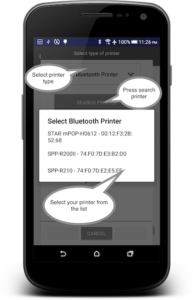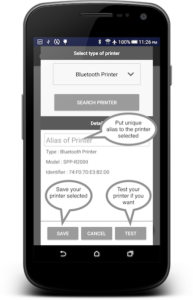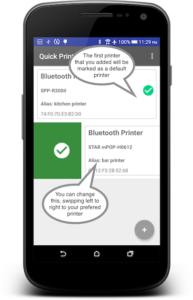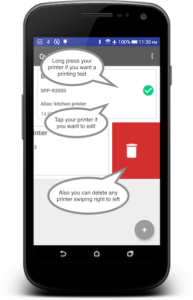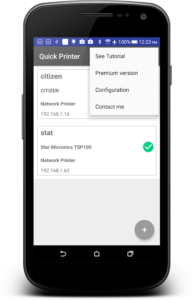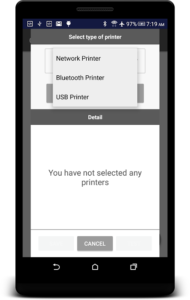
Quick Printer is a powerful Android application designed to connect, configure, and print receipts using ESC/POS-compatible thermal printers. It allows users to easily set up receipt printers through multiple connection methods, including:
- Wi-Fi (Local Network)
- Bluetooth
- USB OTG
The app works with a wide range of popular POS printer brands, including EPSON, BIXOLON, STAR MICRONICS, CITIZEN, mPOP, and many other ESC-compatible printers.
Print Text from Any Android Application
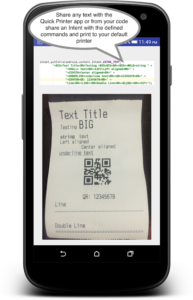
One of the key features of Quick Printer is its ability to print shared content directly from other applications. Simply share your favorite text, documents, or messages with Quick Printer, and print them instantly using your connected receipt printer.
The application also supports Raster Mode, including compatibility with printers such as Star Micronics TSP100.
Developer Integration Support
Developers can easily integrate Quick Printer functionality into their own Android applications to print:
- Tickets
- Receipts
- Orders
- Invoices
- Other POS documents
The integration process is simple and allows apps to communicate directly with compatible printers.
Developer resources and integration documentation are available here:
GitHub Integration Guide:
https://github.com/diegoveloper/quickprinter/
Code Samples:
https://github.com/diegoveloper/quickprinter-integration/
License & Business Usage
If you need a large number of licenses for your customers or want to integrate the printing library directly into your own application, you can contact the developer for customized licensing options.
Free Version Features
The free version includes:
- Basic printing functionality
- Support for multiple printer connections
- QR code printing is not available
- Printed tickets include an app name advertisement at the end
Premium Version Features
The premium version unlocks additional capabilities:
- Full support for all printing commands
- Customizable printing dialog configuration
- No advertisements printed on receipts
- Complete professional printing experience
Compatible Printers
Quick Printer has been tested with many popular POS printers, including:
- Star Micronics SP700R
- Star Micronics BCS10
- Bixolon SRP270D
- Epson TM-U220A
- Star Micronics SP742
- Citizen CT-S651
- Star L200
- Woosim printers
- Star Micronics mPOP
- BIXOLON SPP-R310
- BIXOLON SPP-R200II
- Star Micronics TSP100
- ESC/POS-compatible printers
Quick Printer provides a reliable and flexible solution for businesses, developers, and users who need fast and convenient receipt printing from Android devices.